
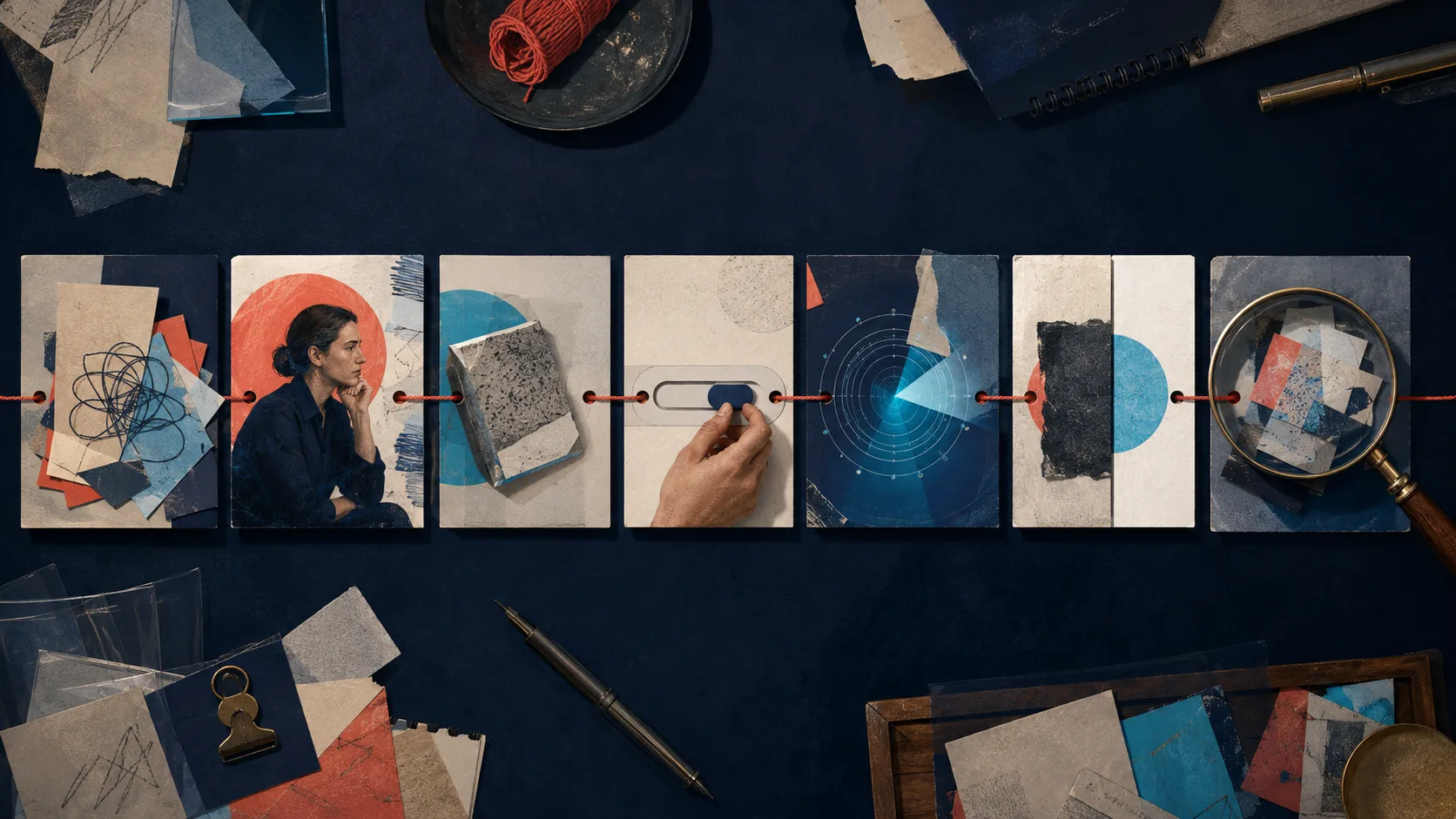
Many ‘best demo’ roundups reward sheen. The first frame glows, cards float, and a cursor lands exactly on the beat. Yet a buyer can watch to the end without learning whether the product accepts their kind of input, handles the awkward part of the job, or produces evidence they can trust. A SaaS demo is not a tour of attractive surfaces. It is a short argument made with product behavior.
What makes a SaaS product demo video work?
A product demo video works when its intended viewer can make the next decision with less unresolved uncertainty. For an early evaluator, that may mean ‘this handles the workflow I recognize.’ For a security reviewer, it may mean ‘the claimed control is actually visible.’ For a trial user, it may mean ‘I can reach a first useful result.’ Completion rate can help diagnose attention, but it cannot tell you whether the video answered the buying question.
| Link | Question the scene must answer | Weak substitute |
|---|---|---|
| Problem | What costly, slow, risky, or frustrating condition exists? | A vague claim that work is chaotic |
| Actor | Who is doing the job, with what responsibility? | A generic cursor with no role or stakes |
| Input | What real object enters the system? | A spotless dashboard with unexplained sample data |
| Action | What does the user ask the product to do? | Fast navigation through unrelated menus |
| Response | How does the product visibly react? | Narration that claims an invisible automation happened |
| Result | What inspectable state is different now? | Ending immediately after a click |
| Implication | Why does that result matter to this viewer? | A superlative with no connection to the scene |
The chain is an editorial test, not a mandatory seven-scene formula. Several links can live in one shot. A before-state can identify the actor, problem, and input; one continuous capture can show action, response, and result. The useful question is whether a skeptical viewer has to invent any missing causal step.
Seven SaaS product demo examples worth studying
These are not a league table. They are current examples of different demo jobs. Links go to the companies’ own pages so you can inspect the surrounding promise, access gate, transcript, and next action—not just a detached embed. Interfaces and packaging change, so confirm the live version before using any example in a creative brief.
1. Slack overview demo: pre-frame the value before access
Slack’s public overview demo page names four things the viewer should expect before the watch action: workflows across agents and apps, AI search, real-time collaboration, and CRM data in conversations. The page then continues the argument with separate sections for connected work, search, coordination, and Salesforce. That surrounding structure makes the demo’s contract legible even when access is form-gated.
Steal the pattern: write a three-to-four-line viewing contract that says which jobs the video will prove. Do not steal blindly: gating a broad overview creates friction and removes immediate inspection. Test ungated, lightly gated, and sales-qualified versions against lead quality and buyer progression—not raw form submissions alone.
2. Slackbot demo: package one product promise
The Slackbot demo page narrows the promise to a single product area. Its preview separates contextual insight, actions rather than answers alone, and adoption without setup. Compared with the overview page, the scope gives the viewer a cleaner evaluation question: does this agent use workplace context and move work forward?
Steal the pattern: let one feature demo own one category-level claim, then preview the observable proof. Watch the gap: ‘no setup’ and similar absolutes depend on account state, permissions, and configuration. If the recording begins in a prepared environment, disclose that preparation instead of letting the viewer mistake it for a universal starting state.
3. Asana overview demo: organize breadth around jobs
Asana’s current main demo frames a broad platform through three job families: using AI in processes, connecting work to goals, and coordinating cross-functional workflows. This is a useful alternative to marching through navigation. The categories give product breadth a reason to exist and let a team decide which proof deserves more time.
Steal the pattern: cluster capabilities beneath buyer jobs before choosing scenes. Do not compress too far: three large promises can still produce an overstuffed reel. If each job needs a different actor, starting state, or success criterion, make a short overview that routes to three focused demos.
4. Asana Goals demo: match one outcome to one audience
The Asana Goals demo tightens the narrative around linking company goals with underlying work. Its preview promises strategic goal setting, connection to execution, team priority visibility, and progress visibility. The topic is narrower than work management as a whole, so the buyer can judge the capability against an executive or operations use case.
Steal the pattern: name the decision-maker and the operational object—in this case goals connected to work. Strengthen it in your version: show the provenance of a progress value. A dashboard number is more persuasive when the video briefly reveals which projects or records feed it, when it updates, and what still requires human judgment.
5. Airtable for Product Teams: tell a multi-stage workflow story
Airtable’s product-teams video page describes a connected path across feedback, planning, roadmap prioritization, and delivery. The page provides an about view, transcript access, a summary, and related template tours. That packaging supports both watching and scanning while locating the product inside a recognizable organizational workflow.
Steal the pattern: connect stages with the same underlying object so the story feels cumulative. A piece of feedback should become an insight, a priority, and then planned work; swapping to unrelated sample records breaks proof continuity. Do not borrow unsupported outcomes: the page’s acceleration and cost language is vendor positioning, not evidence that every viewer will reproduce those results.
6. Airtable AI quickstart: make one transformation inspectable
The Airtable AI quickstart centers on extracting insight from inputs such as meeting notes or feedback and automating recurring summaries. This is a good feature-demo shape because the input and transformed output can share the screen. The viewer can compare what entered the system with what it produced.
Steal the pattern: preserve the raw input long enough to judge the generated result. For AI features, also show review, correction, and approval. A flawless generated paragraph is theatre unless the buyer understands source boundaries, editability, failure handling, and which person remains accountable for release.
7. ClickUp Brain launch demo: use a live format for depth and objection handling
ClickUp’s Brain launch session packages a product deep dive with trend context and an expert question-and-answer segment. It represents a different demo job from a homepage reel: a longer event can explain a release, show more complex behavior, and address uncertainty that a fixed two-minute sequence cannot anticipate.
Steal the pattern: use live or on-demand launch sessions when the feature changes a workflow enough to provoke questions. Do not use it as the only asset: extract a short proof clip, a transcript, and focused follow-ups. A prospect looking for one capability should not have to scrub a full event to find it.
What the examples reveal—and what they do not
| Demo type | Best question | Minimum proof | Likely next step |
|---|---|---|---|
| Overview | Is this category of product relevant to us? | One connected workflow plus breadth map | Explore a use case or start a trial |
| Use-case demo | Can it support this team’s job? | Role, representative input, complete outcome | Open a template or request a tailored demo |
| Feature demo | Does this capability behave as claimed? | Before state, operation, response, verified result | Try the feature or read implementation detail |
| AI demo | What is generated, from which context, under whose control? | Sources, output, review, correction, approval | Test with approved sample data |
| Launch deep dive | What changed and how should we evaluate it? | Working scenarios, limitations, questions | Watch a focused clip or join evaluation |
| Personalized sales demo | How does this fit our account and constraints? | Buyer-specific data shape, objections, decision criteria | Agree on a validation plan |
Public pages can reveal narrative architecture and distribution choices. They usually cannot reveal the production brief, creative alternatives rejected, traffic mix, sales follow-up, viewer permissions, accessibility testing, or causal effect on revenue. Treat visual examples as hypotheses. Your evidence must come from your audience, buying motion, and product behavior.
A SaaS product demo video template built around proof
Start with a proof brief, not a screenplay. Choose one viewer, one decision, and one product claim that can be shown. Then fill the following columns using plain language. If the result column is empty or cannot be recorded, the claim is not ready for a demo.
| Beat | Voice track | Visible evidence | Review question |
|---|---|---|---|
| Recognizable before | Name the actor and blocked job without melodrama | Representative input in its starting state | Would the target viewer call this situation real? |
| Desired change | State the result, not a feature category | A preview of the useful end state | Is the promise narrow enough to prove? |
| Minimum action | Explain the consequential choice | Product interaction at readable speed | Can viewers see what changed and why? |
| Product response | Describe only behavior visible or independently verifiable | Status, transformed object, audit event, or notification | Does narration outrun the screen? |
| Inspection | Name the success signal and an important caveat | Before/after comparison or downstream confirmation | Can a skeptic check the result? |
| Implication | Connect the result to the viewer’s job | Return to the workflow, not a vanity dashboard | Did we explain value without inventing an outcome? |
| Next step | Offer the next action that matches intent | Trial task, relevant guide, sample, or sales validation | Is the ask proportionate to the proof? |
Score a demo before polishing it
Give each dimension 0, 1, or 2: absent, implied, or explicit and credible. Do not add animation until the proof score is stable. A beautiful transition cannot repair an unexplained input or an ending that stops before confirmation.
| Dimension | 2-point standard | Failure signal |
|---|---|---|
| Audience | Role and decision are apparent | The demo could be for anyone |
| Problem | A specific before-state is visible | Only generic pain language appears |
| Input | Data is representative, safe, and understandable | Mystery sample data conveniently fits |
| Continuity | The same object travels through the workflow | Each scene resets to a new example |
| Product agency | Actions and system responses are distinguishable | Narration takes credit for unseen work |
| Result | The promised outcome is inspectable | The video ends on a click or confetti |
| Boundaries | Material prerequisites or review steps are disclosed | Prepared state looks automatic or universal |
A low score does not always mean a bad asset. A six-second social teaser may deliberately withhold the full proof and route to it. The problem begins when the team labels the teaser a demo and expects it to answer evaluation questions it was never designed to carry.
How to make the demo feel human without weakening it
- Write for one responsible person, not an abstract ‘team.’ Give them a real decision, constraint, and reason to care.
- Keep harmless friction when it teaches something: a review, a permission boundary, or a correction can make the workflow more believable.
- Use spoken transitions that reflect thought—‘I need to check the source before I share this’—instead of narrating every cursor movement.
- Record at a pace where labels and state changes can be read. Use cuts to remove waiting, not to conceal the causal step.
- Prefer specific, bounded language: ‘groups these selected tickets’ is more credible than ‘understands every customer.’
- Let the ending breathe on the result. Viewers need time to inspect proof before a logo or CTA replaces it.
Where AI helps—and where it can quietly damage the demo
Current product-demo makers commonly promote script rewriting, synthetic voice, automatic zooms, captions, translation, branding, and conversion of a recording into related documentation. Those are production capabilities, not a substitute for product truth. AI is useful when it reduces repetitive editing while leaving an accountable reviewer in control.
| AI-assisted task | Required human check | Common hidden defect |
|---|---|---|
| Script condensation | Product owner compares every claim with current behavior | A necessary condition disappears for pace |
| Synthetic narration | Native or domain-aware reviewer checks names, tone, pauses, and disclosure | Confident mispronunciation changes meaning |
| Auto zoom and cursor emphasis | Editor verifies the highlighted control caused the shown response | Motion points at a nearby but unrelated element |
| Automatic captions | Reviewer corrects speech and necessary non-speech audio | Product terms, acronyms, and names are wrong |
| Translation | In-market reviewer checks UI labels, examples, reading time, and claim scope | Translated narration no longer matches localized UI |
| Generated sample data | Owner checks privacy, realism, bias, and internal consistency | Perfect synthetic input makes the feature look infallible |
Publish the demo so people and search systems can use it
Put the main video on a dedicated page where it is prominent and relevant. Google’s current video guidance recommends crawlable embedding, stable video and thumbnail URLs, consistent metadata, and supported structured data or video sitemaps where appropriate. A page can be indexed while its video is not; implementation improves eligibility, never guarantees discovery or ranking.
Give viewers accurate captions and a useful transcript. W3C distinguishes captions—synchronized speech and necessary non-speech information—from transcripts, which can make the content scannable and may need descriptions of important visual information. Automatically generated text must be reviewed against the final edit. Also place the target audience, problem, prerequisites, result, limitations, and next action in page copy so the video is not the only carrier of meaning.
Measure whether the demo resolves uncertainty
| Signal | Possible interpretation | Follow-up check |
|---|---|---|
| Early exits | The opening problem, audience, or promise is mismatched | Ask qualified viewers what they expected from the title and first frame |
| Repeated replay before result | A consequential action or state change is too fast | Test comprehension at that exact transition |
| High completion, weak next step | The video entertained or educated without answering the decision | Ask viewers to state the result and remaining objection |
| Demo-assisted opportunities progress | The asset may be useful in this buying context | Compare intent, source, seller behavior, and account mix before attributing causality |
| Support questions rise | Interest increased or a boundary was omitted | Classify questions by curiosity, missing prerequisite, and misleading claim |
| Trial task succeeds | The proof may transfer from watching to doing | Observe uncoached users with realistic permissions and data |
For the production workflow behind these examples, use the product demo video guide. If the viewer’s goal is post-signup task completion, build a product walkthrough video instead. For onboarding sequences, connect the asset to a broader customer onboarding video system rather than forcing one demo to teach the entire product.
Frequently asked questions
What is a SaaS product demo video?
A SaaS product demo video is a recorded demonstration that helps a defined buyer or user evaluate product behavior. It should connect a recognizable problem and input to visible actions, system responses, an inspectable result, and a next step appropriate to that viewer’s intent.
How long should a SaaS product demo video be?
There is no universal best duration. Make it long enough to prove the promised result and short enough to exclude unrelated capability. A feature proof may take under two minutes; a complex launch or role-specific workflow may need a longer session plus short extracted clips. Test comprehension and decision progress, not duration alone.
What should a SaaS product demo video include?
Include the intended viewer, a specific before-state, representative and safe input, the minimum consequential actions, visible product responses, an inspectable result, important prerequisites or limitations, and one fitting next action. Captions, transcript, version context, and a useful host page make it more usable.
What is the difference between a product demo and a product walkthrough?
A product demo primarily helps someone evaluate whether a capability fits a problem or buying decision. A walkthrough primarily helps a user understand or complete a defined task after interest or access exists. They may share footage, but their audience, proof, detail level, and call to action differ.
Can AI make a SaaS product demo video?
AI tools can help rewrite a script, create narration, add zooms and captions, translate, brand, and repurpose recordings. A responsible human still needs to verify product behavior, claims, permissions, sample data, pronunciation, caption accuracy, localization, and every edit that implies cause and effect.
How do you evaluate a product demo video example?
Ignore polish at first. Check whether the example makes its audience and problem clear, uses understandable input, preserves continuity, distinguishes user action from product response, shows the promised result, discloses meaningful boundaries, and offers a next step proportionate to the evidence shown.