
Chrome extension · on the Chrome Web Store
Record once in Chrome. The edit is already underway.
Captures the tab, your mic, and every click. Stop, and the auto-edit takes over — your editor opens by itself.
Free, and it installs from the Chrome Web Store like any other extension — two clicks and Chrome's own confirmation. Updates arrive on their own.

What it records
Three tracks, one take.
Everything the auto-edit needs comes from a single recording — no uploads to babysit, no per-project setup.
The tab, in video
High-quality capture of the tab you're working in — no window juggling, no desktop clutter in the frame.
Your mic, optional
Narrate while you work, or stay silent and let the AI voiceover carry the video. Toggle before each take.
Every click, as data
Clicks, typing, scrolls, and page changes become a structured event track — that's what powers the zooms and step cuts.
Install
Four steps, about a minute.
It installs from the Chrome Web Store, so Chrome keeps it up to date for you. This is the whole thing, start to finish:
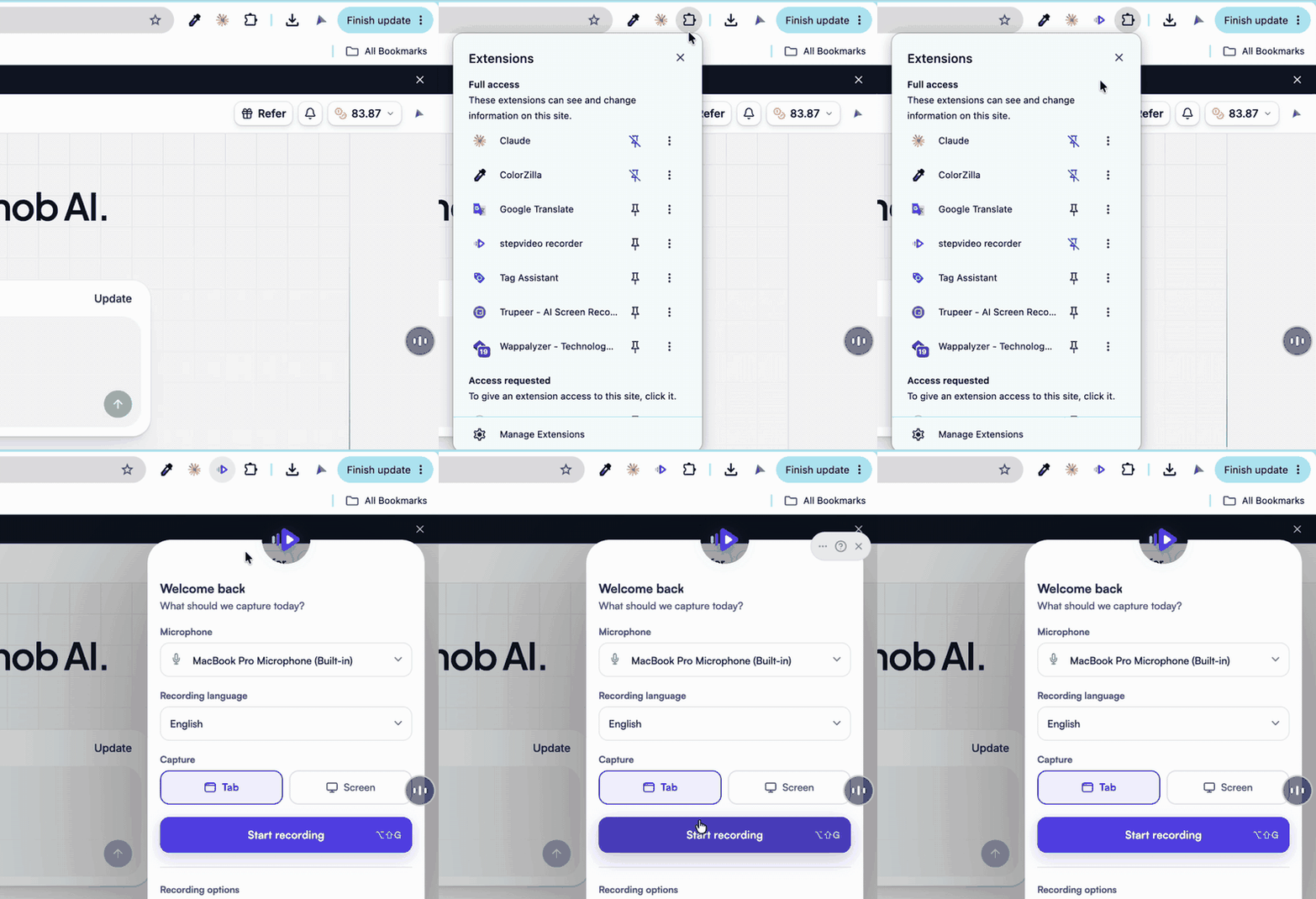
- Add it to Chrome
Chrome lists what the recorder can access and asks you to confirm. One line is “Capture content of your screen” — that is the permission a screen recorder is made of.
- Pin it
Puzzle-piece icon → pin stepvideo, so a take is one click away.
- Sign in once
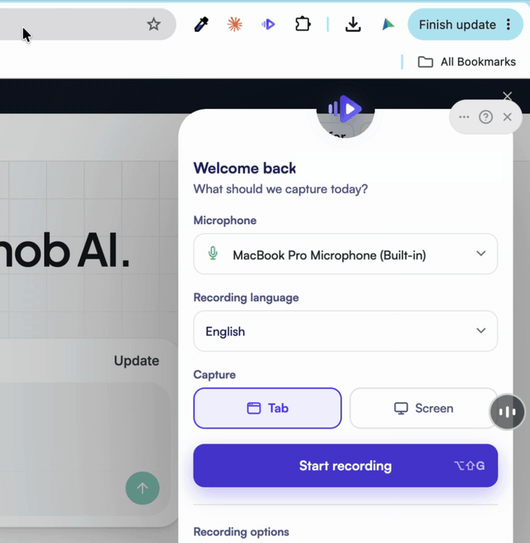
Sign in at stepvideo.io in the same browser. The recorder shows who you are before every take.
- Record
Hit Start Recording. Stop, and your editor opens by itself — no export, no upload step.
Privacy is built in: passwords are never recorded, typed values that look like secrets, cards, or emails ship only a flag the editor shows you as a blur suggestion, everything else is scrubbed on your machine before anything is uploaded, only the tab you are working in is captured, and entire domains can be excluded from event capture under “Sites never captured” in the recorder's stepvideo settings.