Checked 15 August 2026
stepvideo vs Camtasia
 Camtasia
Camtasia is a real video editor that happens to record your screen — a timeline, tracks, and total control, installed on your machine. stepvideo is the opposite trade: you give up the timeline and get the edit done for you.
No credit card needed — 5 AI video minutes, free for 10 days.
Already decided to leave? Camtasia alternatives, the whole shortlist on one page.
Before the table: when Camtasia is the right call
Camtasia is a desktop screen recorder and video editor. There are jobs it does better than we do, and this is the list. If you recognise yourself on the right, we'd rather you went and used it than churned in month two.
Pick stepvideo when…
- You make tutorials regularly and the editing time is the cost you're actually trying to remove.
- You want the zooms placed for you from your click events rather than keyframed by hand.
- You need a written guide out of the same recording — Camtasia's page doesn't list one.
The claims on our side are all specified. Read the edit rules
Pick Camtasia when…
- You need frame-level control. A timeline editor will always beat a rules engine on a shot you care about precisely.
- You're recording desktop software, games or anything outside a browser tab — Camtasia's page states it works without an internet connection.
- You want to own a licence outright rather than subscribe.
- You're compositing multiple tracks, b-roll, annotations and transitions into something closer to a produced film than a walkthrough.
Written from Camtasia's own public pages, not from a review site.
stepvideo and Camtasia, row by row
Every Camtasia cell below says what Camtasia's own public pages said on 2 October 2026. Where their page doesn't mention something we've written “not listed” rather than guessing — a missing mention isn't a missing feature.
| Feature | This page | CamtasiaTheir own pages |
|---|---|---|
| Automatic zoom on the control you clickedThe recording knows where the click landed, so the camera punches in on the button rather than showing the whole screen. | Yes. Yes — up to 1.8×, anchored to the click, 600ms in and 2.4s hold | Yes. SmartFocus analyses mouse movement, scrolling and clicks to decide where to focus, then you adjust |
| Dead time removed without editingPage loads, spinners and thinking pauses are what make a raw recording unwatchable. | Yes. Yes — anything over 4s plays at 3×, over 30s at 8× | Partly, or on a higher plan. Audiate removes filler words and long pauses from recorded audio from Essentials; idle screen time goes unlisted |
| Cut a mistake while you're still recordingFlub a step, hit a key, keep going — no second take of the whole workflow. | Yes. Yes — the hotkey removes the last 8s (beta) | Not listed. Nothing listed mid-recording; afterwards their page says to cut a mistake you delete a word |
| AI voiceover written per stepNarration that follows the steps, and that you can rewrite one step at a time. | Yes. Yes — a script per step, each one editable and re-voiced on its own | Yes. Yes — "lifelike AI-generated voice over narration" |
| Word-by-word captions burned into the MP4Captions that survive being posted anywhere, without a sidecar file. | Yes. Yes — word-synced, burned in at render | Yes. Yes — captions, plus AI translation to 7 languages and 9 dialects |
| A written guide from the same takeThe same recording as a numbered walkthrough, so you don't write the doc twice. | Yes. Yes — numbered steps, each with its own screenshot from the recording | Yes. Snagit Step Capture turns clicks into guides and SOPs on every plan, and Step Capture to Video reuses the steps |
| Edit steps, not a timelineRename, reorder, merge, delete or rewrite — no scrubbing, no keyframes. | Yes. Yes — the video is a step list | No. A timeline editor by design; Snagit's Step Capture produces guide steps, and Step Capture to Video brings them in as clips |
| A share page per renderSomewhere to send the link that isn't a file attachment. | Yes. Yes — public or unlisted by link | Yes. Screencast hosting with timestamped comments: 25 videos on all tiers, unlimited on Pro |
| LanguagesBoth halves matter: the language you speak while recording, and the language the finished video ships in. | Yes. Speak 96, publish in 58 — voiceover, captions and guide in each | Partly, or on a higher plan. AI translation to 7 languages and 9 dialects |
| How you captureWhat you have to install before you can record anything. | Yes. Chrome extension — records the tab you pick | Yes. Desktop application; a separate free "Camtasia Online" recorder |
| Desktop app for non-browser softwareRecording a native app, an installer, or anything outside a browser tab. | No. No — Chrome only. Uploaded footage gets zooms, but no click events to cut on | Yes. Yes — works without an internet connection |
| AI avatars / talking headsA synthetic presenter on screen alongside the workflow. | No. No | Yes. AI avatars in Audiate, included with the Pro plan |
| Interactive click-through demosA clickable HTML replica of your product rather than a video of it. | No. No — the output is a rendered MP4 | Not listed. Not listed on Camtasia's product page |
| The editing rules published in publicWhether you can read what the automatic edit will actually do before you trust it with a recording. | Yes. Yes — every threshold is on the site, and they're the shipping defaults | Not listed. SmartFocus and Step Capture to Video are described; no thresholds are listed |
| Brand kit and branded share pagesYour logo and colours on the video and the page around it. | Partly, or on a higher plan. Yes — on Studio | Partly, or on a higher plan. Custom themes with brand fonts, colours and logos; branded share pages are not listed |
| Free tierWhether you can use it indefinitely without paying. | Yes. Yes — a 10-day free trial with 5 AI minutes, no card, watermarked exports | Yes. The full editor downloads free; exports carry a watermark until you buy a plan |
| Entry priceWhat the first paid plan costs and what it includes. | Yes. Creator $29/mo — 25 AI video minutes, no watermark, 3 seats | Yes. Billed yearly: Starter $39, Essentials $179.88, Create $249, Pro $599 a year |
- Yes. Yes
- Partly, or on a higher plan. Partly, or on a higher plan
- No. No
- Not listed. Not listed
Checked on 2 October 2026 against Camtasia product page. Products change. Tell us if we've got something wrong and we'll correct it.
What you get
One take. Three things to hand over.
One pass produces the video, the written guide, and the share page.
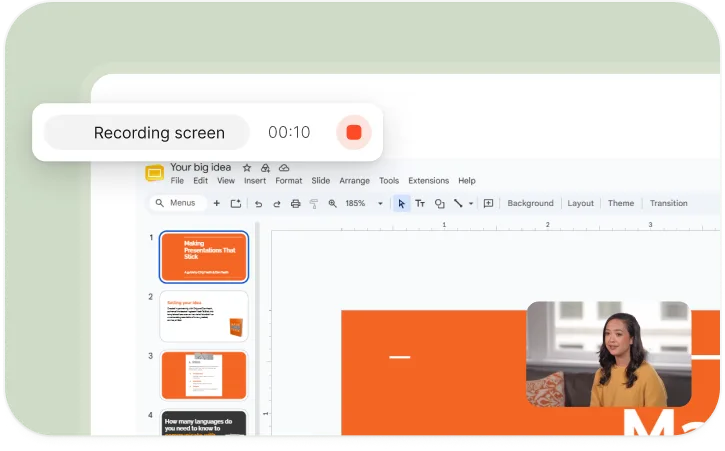
The edited video
Zooms on your clicks, dead time compressed, mistakes cut, voiceover and word-by-word captions — 1080p.
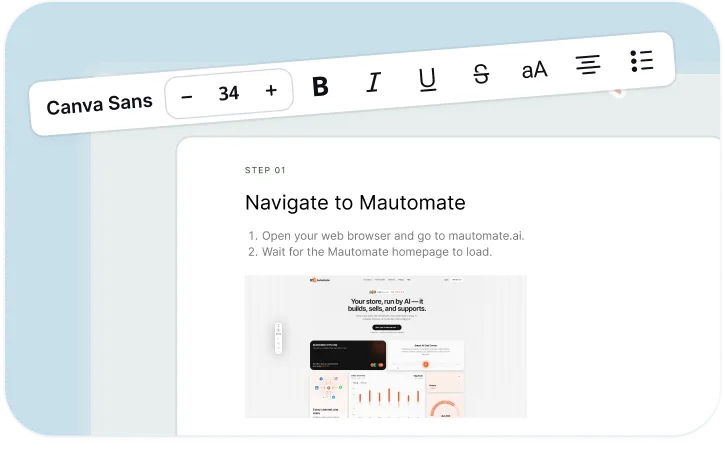
A written guide
The same steps, numbered, each with a screenshot from your recording. Print, paste, or publish.
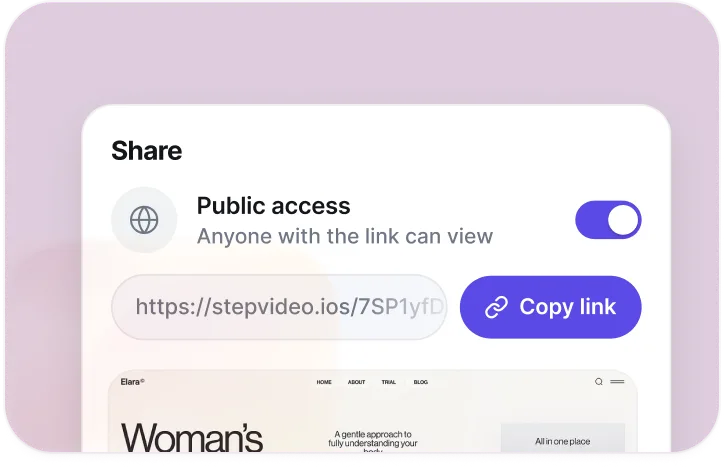
A share page
Every render gets a page that plays the video — public, or unlisted for link-only access.
Questions
stepvideo vs Camtasia, asked plainly
Is stepvideo a replacement for Camtasia?
Only for one kind of video. If you make software walkthroughs on a schedule, stepvideo removes the part of Camtasia you were using as a chore. If you make anything that needs real compositing, or you record outside the browser, Camtasia is still the tool and stepvideo won't get you there.
Can I still change the edit in stepvideo?
Within the step model, yes: rename, reorder, merge or delete steps, rewrite any step's narration, and override the zoom on a step. What you can't do is move a cut by three frames — that's what a timeline is for.
Does Camtasia need an install?
Yes. Their page states "Camtasia is a desktop application that works without an internet connection." stepvideo runs in Chrome with an extension, and renders in the cloud.