
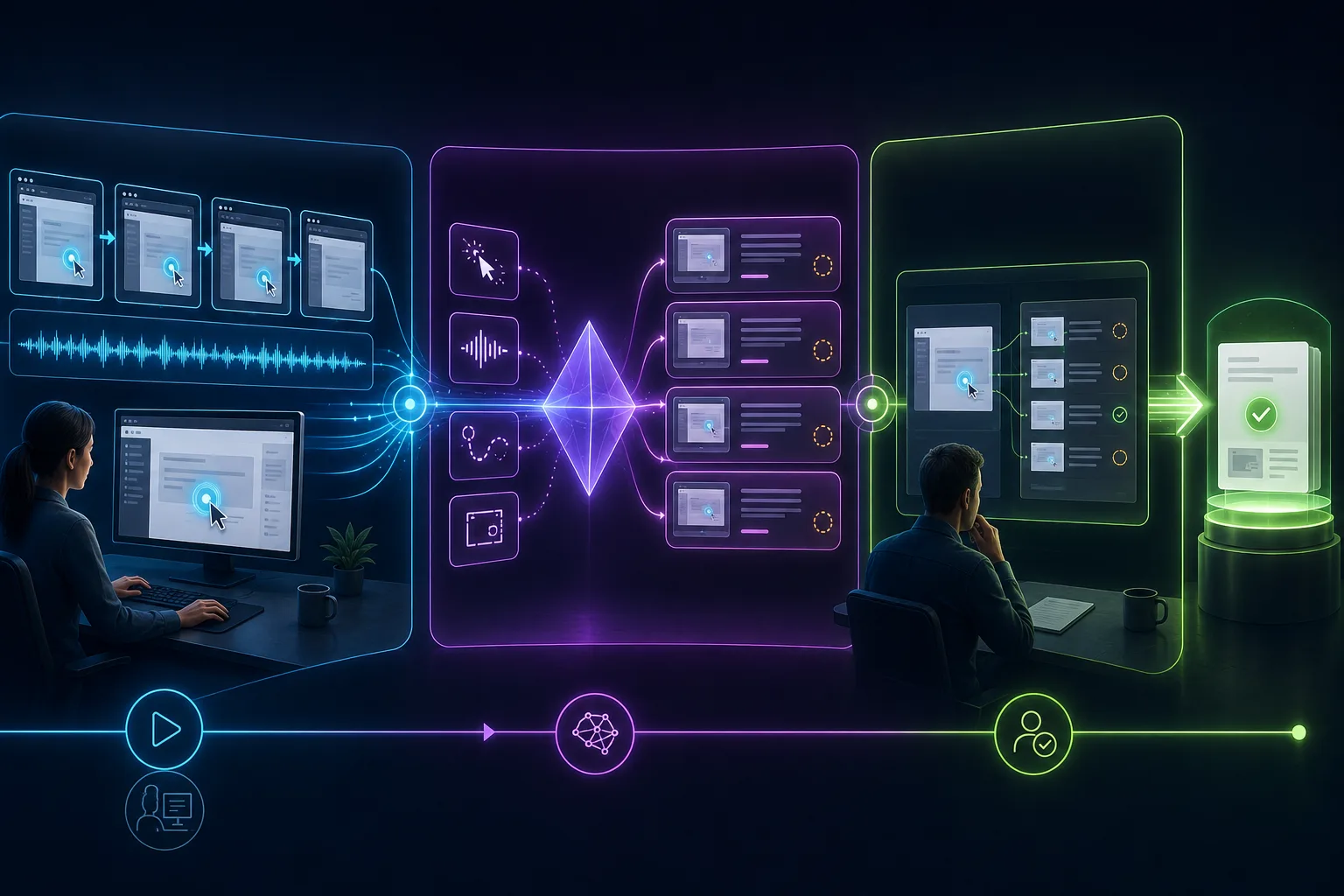
An AI SOP generator can remove the blank-page work from process documentation, but its best input is not a vague sentence such as ‘write our refund SOP.’ For software work, the stronger input is evidence: a knowledgeable person performs the real task on screen and explains the decisions. AI can then propose steps, screenshots, and wording from something that actually happened. The output still needs human verification because observed does not automatically mean approved.
Why a recording is better evidence than a prompt
A prompt describes the process at the resolution its author remembers. It may omit the starting state, a permission check, the exact control, a confirmation message, or the workaround everybody uses. A recording preserves the visible order and exposes friction the expert stopped noticing. That does not make video infallible; it gives the reviewer a concrete event sequence against which to challenge the draft.
| Input model | Evidence available to AI | Best fit | Main risk |
|---|---|---|---|
| Written prompt | Your description and supplied context | Early outline, generic policy structure, brainstorming | Plausible invented detail can look authoritative |
| Uploaded screen recording | Rendered frames, audio, and sometimes metadata | Existing videos, desktop work, multi-application flows | Clicks and interface semantics must be inferred from pixels |
| Live workflow capture | Frames plus tool-specific interaction events and narration | New browser procedures documented while performed | Recorder scope, browser permissions, and capture behavior vary |
The distinction is visible in current products. Kommodo's video-to-SOP tool, ScreenApp's SOP generator, and Clueso's SOP generator describe uploading video for analysis. Tango's SOP creator and Supademo's generator describe recording a workflow. Trupeer describes recording or upload and generating both tutorial and written procedure formats. Verify the current limits of any product you trial rather than generalizing from the category.
Before recording: define the SOP boundary
A strong recording begins before the red button. Name one trigger and one observable outcome. ‘Manage refunds’ is a process family; ‘issue a full refund for an eligible card payment in the admin portal’ is recordable. If the demonstration has several unrelated outcomes, AI will either produce an unwieldy document or invent a hierarchy the owner never intended.
- Audience: identify the role, assumed knowledge, permissions, and terminology the user already has.
- Trigger: state the event or condition that makes this SOP applicable—and one condition that makes it inapplicable.
- Outcome: define the visible record, state, notification, or acceptance condition that proves successful completion.
- Prerequisites: prepare access, source information, sample files, approvals, and safe test data before capture.
- Decision points: list branches the recording must explain even if the demonstration follows only one path.
- Risk: identify actions involving money, deletion, permissions, personal data, safety, contracts, or irreversible change.
- Owner: name the role authorized to decide whether the generated draft accurately represents the standard.
Protect private data before the first frame
A generated SOP creates derivatives of the recording: transcript fragments, screenshots, thumbnails, captions, exports, and sometimes searchable AI context. Blurring the final document is weaker than preventing the information from entering the system. Use a test account and synthetic records whenever possible. Close unrelated tabs, pause notifications, hide bookmarks, remove password-manager overlays, and inspect autofill suggestions before recording.
| Exposure | Preventive action | What to inspect afterward |
|---|---|---|
| Credentials and recovery codes | Use a non-production account; never reveal secrets | Frames around login, autofill, terminal, and clipboard actions |
| Customer or employee data | Use invented records with realistic structure | Tables, search results, URLs, notifications, and downloaded files |
| Unrelated workspace context | Use a clean browser profile and close other tabs | Bookmarks, tab titles, history suggestions, extensions, and avatars |
| Confidential narration | Prepare safe terminology and avoid naming live cases | Transcript, generated headings, captions, and summaries |
| Hidden derivative copies | Understand storage, retention, deletion, and export behavior | Project media, generated screenshots, shares, embeds, and backups |
How to create an SOP with AI from a screen recording
- 1
Write the boundary sentence
Use this pattern: When [trigger], [role] uses [system] to produce [observable outcome]. Add exclusions and escalation conditions before recording so the generator does not stretch one path into universal policy.
- 2
Prepare a clean demonstration state
Create safe sample records, correct permissions, a clean browser profile, and the exact starting page. Disable interruptions and rehearse once to find waiting, ambiguity, or data exposure.
- 3
Record one successful path at natural speed
Perform the work as a competent operator would. Pause briefly after meaningful state changes, but do not create theatrical cursor movement solely for the camera.
- 4
Narrate reasons, not every mouse movement
Explain why the case qualifies, what value matters, what warning stops the procedure, and how success is recognized. The interface already shows many clicks; narration should preserve judgment the pixels cannot.
- 5
Let the tool generate a draft
Choose the relevant live-capture or upload workflow. Allow transcription, step detection, screenshots, and formatting to finish, then preserve the source project so corrections do not depend on an exported PDF alone.
- 6
Repair structure before polishing prose
Merge meaningless microsteps, split combined decisions, restore missing prerequisites, remove failed attempts, add exception routes, and ensure every screenshot matches the instruction beside it.
- 7
Verify against the real system
Have the process owner replay each action using a fresh record. Check names, order, permissions, values, warnings, decision logic, links, and the stated end condition. Mark unknowns instead of asking AI to sound confident.
- 8
Run a naive-user test
Give the draft to someone in the intended audience who did not watch the recording. Observe silently. Revise every place they hesitate, infer, skip a warning, or reach a different outcome.
- 9
Approve and publish one canonical version
Add owner, effective or reviewed date, status, related policy, escalation path, and review trigger. Publish where the worker will look, and remove or redirect superseded copies.
- 10
Schedule change detection
Tie review to product releases, policy changes, incidents, ownership changes, and a risk-appropriate calendar. AI accelerates regeneration; it does not notice every real-world change automatically.
A worked example: refunding an eligible payment
Suppose a support lead records a browser procedure for refunding an eligible card payment. The weak recording begins on an already-open customer record, clicks Refund, types an amount, and ends. An AI system can describe those pixels, but the result omits how to find the record, who is allowed to refund, how eligibility is checked, whether the amount includes fees, and what confirmation proves the action succeeded.
The strong recording begins with a synthetic ticket containing the required order identifier. The narrator states the policy prerequisite and authority limit, navigates from the normal starting page, explains the evidence used to confirm eligibility, performs the approved path, and points out the refund record and customer-notification state. They also name the route for partial, disputed, or out-of-window cases without pretending one video demonstrates every branch.
| SOP element | Likely observable evidence | Required human judgment |
|---|---|---|
| Navigation | Pages, controls, clicks, and visible sequence | Whether this is the approved and most efficient path |
| Values | Typed amount, selected reason, visible identifier | Source, calculation, allowed range, and data classification |
| Decision | The branch taken in the recording | Eligibility rule, alternative branches, and escalation threshold |
| Warning | Visible confirmation or error message | Risk explanation and conditions for stopping |
| Outcome | Changed status or created record | Whether that state constitutes business completion |
Using stepvideo for the browser-capture route
stepvideo records a browser workflow along with interaction evidence such as clicks, typing, navigation, scrolling, element geometry, and timestamps. That event layer helps propose meaningful steps and camera attention from the demonstrated task. One project can then produce an edited tutorial video, per-step narration, AI voiceover, word-timed burned-in captions, and a written guide with a screenshot for each step.
The creator edits the step structure—rename, reorder, merge, remove, and rewrite—rather than working in a general timeline. This is useful when the SOP is a recurring browser task and both motion and scannable reference matter. It is not an approval workflow, checklist-runner, policy repository, learning-management system, or regulated document-control product. Publish the reviewed assets inside the system that owns those responsibilities.
For product selection, compare the best SOP software for small teams. For the larger documentation stack—maps, instructions, execution records, and governance—see the process documentation software comparison. For the document around the generated steps (purpose, scope, roles, exceptions and approvals), start from the free SOP template.
The verification checklist before publication
- The title identifies one task and the audience can recognize when it applies.
- The starting state, prerequisites, access level, and source inputs are explicit.
- Every action uses the current interface name and its screenshot shows the same state.
- Decisions state a rule or source; they are not reverse-engineered from the branch shown.
- Warnings appear before the risky action and explain when to stop or escalate.
- No credentials, personal data, confidential records, or unrelated workspace details remain in any derivative.
- The final state is observable and distinguishes task completion from downstream business completion.
- A representative user completed the task without private coaching from the author.
- Owner, approval status, canonical location, review trigger, and superseded versions are resolved.
Measure the method, not the magic
A useful pilot records total authoring time, number of substantive corrections, user task success, questions, and time to revise after a simulated interface change. Compare prompt-only, uploaded-video, and live-capture approaches on the same bounded procedure if input choice is uncertain. Do not accept a vendor's speed claim as your result; include preparation, privacy cleanup, expert review, publishing, and maintenance.
The winning workflow is not the one that produces the fastest first draft. It is the one that produces a verified, usable procedure at a maintenance cost the owner will actually pay. AI earns its place when it shortens faithful transcription and editing while leaving responsibility visible.
Frequently asked questions
Can AI create an SOP from a screen recording?
Yes. Depending on the product, AI can analyze recorded frames, narration, visual changes, and sometimes captured interaction events to propose steps, screenshots, headings, and descriptions. A process owner must still verify prerequisites, decisions, exceptions, warnings, privacy, and the successful outcome before treating the draft as an approved SOP.
What is the difference between an AI SOP generator and a video-to-SOP generator?
AI SOP generator is the broader label and can include tools that draft from a written prompt. A video-to-SOP generator specifically analyzes an uploaded or newly captured recording to derive instructions and screenshots. Live-capture products may additionally retain click, navigation, geometry, or timing evidence unavailable in rendered video alone.
Should I narrate a screen recording for an AI SOP?
Usually. Narration should explain prerequisites, reasons, decisions, warnings, source values, exceptions, and the end condition—not simply say every visible click aloud. Clear commentary gives the generator context that pixels cannot preserve, but the transcript must still be reviewed for errors and confidential information.
Are free AI SOP generators safe for confidential recordings?
Price does not establish privacy or security suitability. Check current terms, storage, retention, deletion, sharing defaults, subprocessors, model-training policy, data location, and your organization's approval before uploading. Prefer synthetic accounts and records, and prevent sensitive information from entering the source recording rather than relying only on later redaction.
What should I check in an AI-generated SOP?
Verify the trigger, audience, starting state, prerequisites, permissions, actions, field values, decision rules, exceptions, warnings, screenshots, links, and observable result. Remove private data, test with a representative user, name an owner, record approval status, publish one canonical version, and define what event requires review.
Can an AI-generated SOP prove compliance?
No. Generated instructions do not prove that a procedure meets a law or standard, that the system was configured appropriately, or that workers followed it. Regulated and safety-critical work may require qualified review, validation, controlled approval, training records, execution evidence, retention, audit history, and other domain-specific controls.