
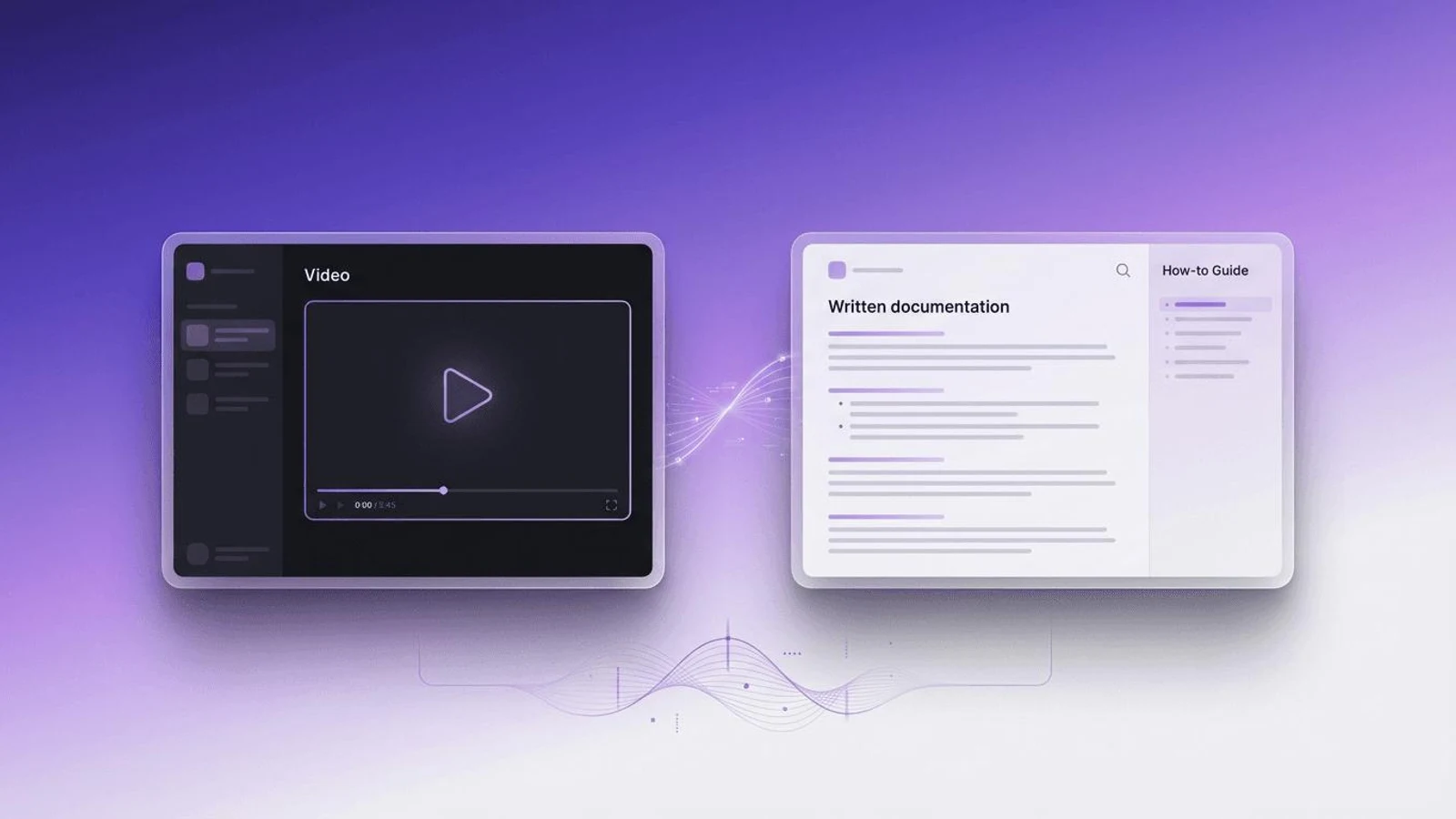
Scribe vs Tango: the short answer
Scribe (scribe.com) and Tango (tango.ai) do the same core job. You click through a task in Chrome or Edge, and each one turns your clicks into a step-by-step guide with a screenshot and a written instruction for every step. Both have a free plan, both add a Mac and Windows desktop app on paid plans, both can play a guide as a video, and both can walk a person through a guide on screen inside the real web app. The differences are narrower than either company's marketing suggests.
Pick Tango if your workspace has one or two people, because its Pro plan costs less at that size (at three or four it depends on Scribe's seat minimum, explained under prices), or if in-app help is where you are heading: Tango builds more of its product around guidance inside the software, with Pins and branching guides on Enterprise. Pick Scribe if you have five or more people, because its Pro Team seat costs less from five seats up, if you want guides to play as video on the free plan, if your procedures end up in Word or Confluence, or if your security review needs a vendor that states HIPAA compliance.
If none of those decides it, the two are close enough that the reliable test is to capture the same real task in both free plans and keep the guide you would publish with the fewest edits. The section on deciding in an afternoon, below, sets that test out step by step.
How do Scribe and Tango compare, feature by feature?
The table sets the two side by side, plan by plan, as each company's own pages describe them. Where a page does not mention something, the cell says so rather than guessing.
| Scribe | Tango | |
|---|---|---|
| What it makes | Step-by-step guides with screenshots and written instructions, plus Pages, longer documents that can hold several guides (Pro) | Step-by-step guides, which Tango calls workflows, with screenshots, highlights and descriptions |
| Free plan | Basic: captures web apps in the browser, shares by link and embed, plays guides as video and runs on-screen walkthroughs | Free: up to 5 shared workflows and up to 10 users per workspace, browser capture, link and embed sharing, Guide Me for workspace members |
| Paid plans | Pro Personal from 1 seat, Pro Team from 5 seats, Enterprise priced on request | Pro, one plan with two per-user rates by workspace size, and Enterprise priced on request |
| Browsers | Chrome and Edge extensions, on every plan | Chrome and Edge extensions, on every plan; Firefox, Safari and Arc are not supported |
| Desktop software | Mac and Windows desktop app on Pro and Enterprise | Mac and Windows 10 or 11 desktop app on Pro and Enterprise; no Linux version |
| A guide as a video | Movies, on every plan: the guide plays with motion and voice, with a captions toggle | Video Embeds, on Pro and Enterprise: optional AI narration from your step text in one of two voices, rebuilt when you edit |
| On-screen walkthroughs | Guide Me on every plan, for guides made after October 2023 | Guide Me on every plan; Pins, which place guides inside your tools, on Enterprise |
| Branching guides | Not listed on its pricing page | Enterprise: one workflow can hold decision points and conditional paths |
| Exports | PDF, HTML, Markdown and Word, plus a Confluence integration, from Pro | PDF, Markdown and HTML from Pro; paste or embed on every plan |
| Redaction | Manual and assisted redaction on Pro; enforced automatic redaction of PII and PHI on Enterprise | Blur during and after capture on Pro; automatic detection of personal data on Enterprise |
| Speak while you capture | Voice transcription on Pro | Voice transcription on Pro, with browser capture only |
| Translation | AI translation on Enterprise, on select modules | AI translation on Enterprise, switched on by an admin |
| Version history | 1 week on Pro, unlimited on Enterprise | 14 days on Pro, 365 days on Enterprise |
| Compliance named on its own site | SOC 2 Type II, HIPAA, CCPA, GDPR and FERPA | SOC 2 Type 2; its FAQ says it does not currently maintain formal HIPAA compliance |
| Beyond the guide | Autocapture, which records activity in apps an admin approves so it can become guides later, and Optimize, which analyzes how workflows run | Pins, branching and browser automation with an AI agent, on Enterprise or select Enterprise plans |
Plan placement is the part of this table most likely to move: both companies shift features between plans, and the cells show where each pricing page put them on the day we read it. Every cell comes from the pages listed under Sources.
How much do Scribe and Tango cost?
Scribe and Tango both charge per seat (Tango says per user), both put the whole team on one plan, and both charge less if you pay yearly. The shapes differ. Scribe sells two Pro plans: Pro Personal for one person working alone, and Pro Team for a shared workspace, which starts at five seats. Tango sells one Pro plan with two rates: a higher rate for workspaces of one or two users and a lower rate that applies automatically from three. Enterprise is priced on request at both.
| Plan | Billed yearly | Billed monthly | Seats |
|---|---|---|---|
| Scribe Basic | Free | Free | Not stated |
| Scribe Pro Personal | $25 per seat per month | $35 per seat per month | From 1 |
| Scribe Pro Team | $13 per seat per month | $17 per seat per month | From 5 |
| Scribe Enterprise | On request | On request | Custom |
| Tango Free | Free | Free | Up to 10 |
| Tango Pro, 1 or 2 users | $22 per user per month | $30 per user per month | 1 or 2 |
| Tango Pro, 3 or more users | $15 per user per month | $20 per user per month | 3 or more |
| Tango Enterprise | On request | On request | Custom |
| Team size | Scribe, billed yearly | Tango, billed yearly | Scribe, billed monthly | Tango, billed monthly |
|---|---|---|---|---|
| 1 person | $25 (Pro Personal) | $22 | $35 | $30 |
| 3 people | $65 (Pro Team starts at 5 seats) | $45 | $85 | $60 |
| 5 people | $65 | $75 | $85 | $100 |
| 10 people | $130 | $150 | $170 | $200 |
Read the two tables as crossing lines. Tango costs less for one or two people. From five seats up, Scribe's Pro Team costs less per seat, and the gap grows with the team. Three or four people is the uncertain band, because Scribe words it two ways: its pricing page says Pro Team "Starts at 5 seats", which the table reads as a five-seat minimum, while its help article on choosing a plan calls Pro Team "best for teams of 3 or more people". If Scribe sells Pro Team to a team of three at the same seat price, Scribe is the cheaper of the two from three people. Ask before you rely on either reading. And if a free plan covers what you need, neither Pro price matters yet.
What do you get for free on Scribe and on Tango?
Scribe Basic is free. It captures web apps through the Chrome or Edge extension, lets you edit the text and the steps, and shares guides by link or embed. It also includes Movies, which play a guide as a video, and Guide Me walkthroughs. Desktop capture, export to PDF and other formats, screenshot editing, redaction and custom branding start at Pro. Scribe's pricing table lists unlimited guide creation only from Pro and does not print Basic's limit, so check it in your own account before you build a library on Basic.
Tango Free gives a workspace up to 10 users and up to 5 shared workflows in its team library, with browser capture, link and embed sharing and Guide Me for workspace members, and asks for no credit card. Video Embeds, desktop capture, PDF export, voice transcription and blur start at Pro. The five-workflow cap is the number to plan around: enough to test Tango properly, not enough to hold a team's documentation.
Can Scribe or Tango make a video?
Yes, both can, and in both the video is made from the guide rather than recorded from your screen. Scribe calls it a Movie and includes it on every plan: a guide opened from a shared link or an embed plays with motion and voice, with controls for speed, volume, captions and full screen. Tango calls it a Video Embed and includes it on Pro and Enterprise: it turns a workflow into a narrated video, writes the voiceover from your step titles and descriptions in one of two AI voices, and rebuilds the video when you edit the workflow, so the embed code stays the same.
Tango's help center is plain about what sits underneath: Tango takes a screenshot of each step and labels it, and it does not record you moving the mouse to the button. That is the right trade for a guide, because each step can be fixed on its own. It also means the video is a sequence of still steps with transitions and a voice, not a recording of the screen in motion. Scribe plays its Movie from a shared link or an embed, and Tango hands you embed code; neither page we read lists a downloadable video file.
Which is better for guiding people inside the software?
Scribe and Tango both have it, and both call it Guide Me: the guide runs on screen in the browser, one step at a time, showing the person where to click in the real application. Scribe includes it on every plan for guides made after October 2023. Tango includes it on every plan for workspace members, lets Pro workspaces send on-screen guidance to anyone in the workspace, and adds Pins on Enterprise, which pin guides and content inside the tools people use.
The difference is emphasis. Tango's home page sets in-app guidance and automation beside documentation as the main parts of its product; Scribe's leads with automatic capture, workflow analysis and context for AI agents. If your goal is fewer "how do I" questions inside one system your team lives in, such as a CRM or an HR system, Tango has more pieces aimed at that, most of them on Enterprise. Two limits apply to Tango's version: Guide Me needs the browser extension, so it does not run on phones, and it does not run on workflows captured with the desktop app.
Which handles desktop apps, other browsers and phones?
In the browser they are the same. Scribe's help center says it supports Chrome and Microsoft Edge only, and Tango's says the same, adding that Firefox, Safari and Arc are not supported. For software outside the browser, both sell a desktop app for Mac and Windows from Pro up, and each desktop app can follow a task that moves between a desktop program and a browser in one capture. Tango lists Windows 10 and 11 and both kinds of Mac processor, says there is no Linux version, and notes that Guide Me, live blur and voice transcription do not work on desktop captures.
Tango says it cannot capture on a phone or tablet, and Scribe lists no mobile capture app. Both describe the same workaround: take screenshots on the device and add them to a guide. Scribe makes that a Pro feature, done in a mobile browser, where you place the click target on each screenshot yourself.
Which suits regulated or multilingual teams?
For regulated teams the sharpest difference is in each company's own security wording. Scribe's home page says it meets SOC 2 Type II, HIPAA, CCPA, GDPR and FERPA. Tango's pricing page says it is SOC 2 Type 2 compliant and does not currently maintain formal HIPAA compliance, and its help center says plainly that Tango is not HIPAA compliant. If your guides will show patient data, that may settle the question before any feature does. Automatic redaction of sensitive data is an Enterprise feature at both; on Pro, both let you blur or redact screenshots by hand, and Scribe adds assisted redaction.
For other languages, Scribe and Tango both translate guides with AI only on Enterprise. Scribe offers it on select Enterprise modules, and its help center lists a long set of languages; Tango's needs an admin to switch it on, and its pricing page and help center give different language counts, so ask before you buy. In both, the screenshots stay in the original language. Speaking while you capture works on Pro at both: Scribe's extension transcribes English, Spanish, French, German, Italian and Portuguese, and Tango's voice transcription works with browser capture only.
How does each company describe the difference?
Both companies publish a comparison page that argues for itself, and their one-line summaries are worth reading side by side.
Scribe is built for at-scale documentation and workflow optimization, while Tango's core use case is in-app, instructive walkthroughs.
Scribe focuses on knowledge bases and process mining. Tango is built for getting step-by-step guides in front of your team, fast.
Each sentence is fair about its author and narrow about the rival. Scribe does reach past the guide, into Autocapture and workflow analysis, and Tango does push guidance into the software. But Scribe also ships Guide Me walkthroughs on every plan, and Tango's guides embed in knowledge bases and wikis much as Scribe's do. Read Scribe's page and Tango's page as each company's best case, which is what they are.
Who should pick Scribe, and who should pick Tango?
Pick Scribe if
- Your workspace has five or more people, where Scribe's Pro Team seat is the cheaper of the two.
- You want people to watch guides as video without paying for it: Movies are on Scribe's free plan.
- Your procedures live in Word or Confluence, which Scribe's Pro exports and integration cover.
- Your security review needs a vendor that states HIPAA compliance on its own site.
- You want documentation drafted from work people already do, with Autocapture, or a measure of where workflows slow down.
Pick Tango if
- Your workspace has one or two people, where Tango's Pro plan is the cheaper of the two (at three or four, check Scribe's seat minimum first).
- You want an embedded video that rebuilds itself whenever you edit the guide, on Pro. Scribe's pages do not say whether a Movie does the same.
- In-app help is the main goal and you expect to grow into Enterprise, where Pins and browser automation sit.
- Your guides need decision points, so that one guide can branch for different cases, on Enterprise.
How do you decide between them in an afternoon?
Run the same real task through both free plans. A trial on your own process tells you more than any table, including the two above.
- 1Choose one task that people ask about every week and that happens in the browser, so both free plans can capture it.
- 2Capture it once in each tool and change nothing afterwards.
- 3Open each guide as a new hire would, on a second screen beside the real software, and try Guide Me in both.
- 4Change one thing in the task, such as a renamed field or a moved button, and update both guides. Note which update took longer.
- 5Only then price your team at its real size with the tables above, remembering that desktop capture, and Tango's video, need a paid plan before you can test them.
Sources
Every fact about Scribe and Tango in this post was read on these pages, each company's own, on 15 November 2026.
- Scribe: pricing, home page, Scribe vs. Tango, and help articles on Movies, browser extensions, desktop capture, Pro features, choosing a Pro plan, Guide Me, translation, voice transcription, Autocapture and signing up.
- Tango: pricing, home page, Scribe alternative, and help articles on plans, where Tango works, what Tango can't do yet, video export, Tango vs screen recording, languages and workflow translations.
When does a narrated screen video matter too?
A guide made of screenshots is the right format for most procedures, because a reader can jump to step nine and a writer can fix one step on its own. A narrated recording is the better format when the motion matters, such as a drag, a hover menu or a sequence that is hard to show in stills, or when the audience will watch rather than follow along, such as customers meeting a feature for the first time. Both tools' video views are built from still steps, so they serve the second case better than the first.
If you are leaving one of these tools rather than choosing between them, Scribe alternatives and Tango alternatives list other tools in the category, each described from its own pages. Loom vs Scribe covers the older question behind this one, video or written steps, and how stepvideo works follows one recording from take to finished video and guide.
Frequently asked questions
Is Scribe or Tango better?
Neither is better across the board. Tango suits workspaces of one or two people, which pay less on Tango's Pro plan, and teams heading for in-app guidance on Enterprise. Scribe suits workspaces of five or more, which pay less per seat on Scribe Pro Team, and teams that want video on the free plan, Word export or a vendor that states HIPAA compliance.
Is Tango cheaper than Scribe?
It depends on team size. On list prices read on 15 November 2026, Tango's Pro plan costs less than Scribe for one or two people. At three or four it is cheaper only if Scribe's Pro Team, which Scribe's pricing page says starts at five seats, really needs five. From five seats up, Scribe Pro Team costs less per seat than Tango Pro, whether billed yearly or monthly. Both have a free plan and Enterprise pricing on request.
Do Scribe and Tango have free plans?
Yes. Scribe Basic is free: it captures web apps in Chrome or Edge, shares guides by link or embed, and includes Movies and Guide Me walkthroughs. Tango Free allows up to 10 users and up to 5 shared workflows per workspace, with browser capture, link and embed sharing and Guide Me. Desktop capture and exports are paid on both.
Can Scribe or Tango make a video?
Both can turn a guide into a video. Scribe's Movies are on every plan and play a guide with motion, voice and captions. Tango's Video Embeds are on Pro and Enterprise and add AI narration written from your step text, in one of two voices. Both are built from the guide's steps, not recorded from your screen, and shared through a link or embed code rather than as a video file.
Do Scribe and Tango work with desktop apps?
Yes, on paid plans. Scribe and Tango both sell a desktop app for Mac and Windows on Pro and Enterprise, and each can capture a task that moves between desktop software and the browser. Their free plans capture web apps only, through extensions for Chrome and Edge. Tango says it has no Linux app and does not support Firefox, Safari or Arc.
Which is better for in-app guidance, Scribe or Tango?
Scribe and Tango both include Guide Me, which walks a person through a guide on screen in the browser, on every plan. Tango builds more of its product around in-app help: Pro workspaces can send on-screen guidance to anyone in the workspace, and Enterprise adds Pins, which place guides inside the tools people use, plus branching guides and browser automation.
Is Scribe or Tango HIPAA compliant?
Scribe's home page says it meets SOC 2 Type II, HIPAA, CCPA, GDPR and FERPA. Tango's pricing page says it is SOC 2 Type 2 compliant and does not currently maintain formal HIPAA compliance, and its help center says Tango is not HIPAA compliant. Both statements were read on 15 November 2026, so confirm with each vendor's security team before you buy.
What are some alternatives to Scribe and Tango?
Other tools in the same category also capture a workflow and produce a step-by-step guide, and some produce a narrated video as well. stepvideo's pages on Scribe alternatives and Tango alternatives compare several of them, each from its own pages. If you need a narrated screen recording as well as written steps, look for a tool that edits the recording itself rather than playing screenshots.