

To write an SOP, choose one routine task, capture how it is really done by watching or recording someone who does it well, and turn that run into numbered steps that each start with a verb. Then add the purpose, scope, roles and exceptions, test the draft on a person who has never done the task, and publish it with an owner and a review date. This guide on how to write an SOP takes each step in turn, with a worked example from first notes to finished SOP.
The method is the same whether you are writing your first SOP or standard operating procedures for a whole department: one task at a time. If you need the definition first, read what an SOP is. If you want a blank document to fill in as you go, download the free SOP template in Word or PDF. This page is about the writing; the template is where the writing ends up.
How do you start writing an SOP?
Start by choosing one task and writing a single scope line for it: what starts the task, who does it and what result ends it. “When HR confirms a leaver's last day, the IT administrator removes their access to company systems” is a scope line. “IT offboarding” is a department, and an SOP that tries to cover it will be too long to follow.
Before you write anything else, settle three people:
- The reader. The role that will follow the SOP, and what they already know. A new hire in their second week needs more explanation than a colleague covering for a holiday.
- The expert. The person who does the task most reliably today. You will watch them, ask them questions and, for work on a screen, record them.
- The owner. The person who approves the SOP and answers for it later. Usually the process owner or team lead, not the writer.
Pick the first task by pain, not by prestige: the one new people ask about most, the one that has gone wrong twice, or the one only a single person knows. A short SOP that ends a weekly interruption teaches you more about SOP writing than a long one nobody needed. If you are mapping a whole area of work before choosing tasks, start with how to document a process.
How to write an SOP in 8 steps
Here is the whole method, from blank page to published SOP. Steps 3 and 7 are the ones most teams skip, and they are the ones that decide whether anyone uses the result.
- 1
Write the scope line
Name the trigger, the role and the finished result in one sentence, then list the nearby work this SOP does not cover. If two different triggers lead to two different results, you are looking at two SOPs.
- 2
Name the reader and the owner
Write down who will follow the SOP and what they can already do, and who will approve it. The reader decides how much you explain; the owner decides what is correct.
- 3
Capture the task as it is really done
Ask the expert to do one real run while you watch, or record it if the task happens on a screen. Interview them before and after the run, not during it. People leave out the steps they do by habit, and a live run shows them.
- 4
Choose the format
Use a numbered list for a straight sequence, sub-steps for long stages, a flowchart when the right action depends on conditions, and a checklist for people who already know the task. Screen tasks often add a short video.
- 5
Draft the steps
Write one action per step, start each with a verb, use the exact names on screen and add what the reader should see when the step worked. Put any warning in front of the step it protects.
- 6
Wrap the steps in the rest of the SOP
Add the purpose, scope, roles, what must be ready before step 1, exceptions and escalation, related documents and the control fields: number, version, owner and review date. The free SOP template has a slot for each.
- 7
Test it on someone who has never done the task
Hand the draft to a person from the reader group, ask them to follow it without help and watch in silence. Every pause, question or wrong click marks a step to rewrite. Fix them, and test again if the changes were large.
- 8
Approve, publish and set review triggers
Have the owner sign it off, store the approved copy where people already look, delete or redirect old copies, and agree what triggers a review: a system change, a policy change, an incident, or the date in the header.
What should you ask the person who does the task?
Ask about the edges of the task, not the middle. The middle is visible when you watch; the edges, such as what has to be true before step 1, what can go wrong and how the expert knows it worked, live only in their head. These questions cover most of it:
- What makes you start this task, and how do you know it is yours to do?
- What do you open or check before the first click?
- Which step do new people get wrong, and what happens when they do?
- When do you stop and ask someone, and who is that?
- Is there anything you check that the system does not force you to check?
- How do you know the task is finished, and who finds out?
- What changed the last time this went wrong?
Then watch a real run, and keep quiet while it happens. Experts compress: the walkthrough they give from memory usually has fewer steps than the task they actually perform, because their habits are invisible to them. If the task is done on a screen, record that run. You can pause a recording, replay the moment a value was checked and copy button names exactly, which notes taken at speed rarely manage.
What is the basic format of an SOP?
The basic format of an SOP is a header that identifies the document, followed by the purpose, scope, roles and responsibilities, the numbered procedure, exceptions and escalation, and document control. Most teams keep that order in every SOP so readers always know where to look. The procedure itself can take one of a few shapes, depending on the task.
| If the task… | Use | Why |
|---|---|---|
| Runs in a fixed order with few decisions | A numbered step list | Easiest to follow and to check off as you go |
| Has long stages, each with its own detail | A hierarchical list (1, 1a, 1b) | Keeps the main path readable while holding the detail |
| Branches on conditions at several points | A flowchart, or a list with a rule at each decision | Shows every path without repeating steps |
| Is done often by people who already know it | A checklist | Confirms nothing was missed without teaching it again |
| Happens in software and is hard to describe | Steps with a screenshot each, plus a short video | Shows where a control is instead of describing it |
The file format matters less than the structure: write in the tool your team already opens every day, and export a PDF for anything that needs signing or printing. The SOP template is a .docx with every section above, and what an SOP is explains each part in more depth.
What are the five parts of an SOP?
The five parts almost every SOP has are the purpose, the scope, the roles and responsibilities, the step-by-step procedure, and document control, meaning the owner, version and review date. Exceptions and escalation are close to a sixth, because most mistakes happen when the normal path does not apply.
How should each SOP step be written?
Write each step as one instruction to the person doing the task: start with a verb, name the thing they act on exactly as it appears, and add the result they should see. Use the present tense, address the reader directly, keep one action per step, and put warnings before the step they protect, never after it. Most fixes in SOP writing are small, as these rewrites show.
| Weak | Better | What changed |
|---|---|---|
| The account should then be suspended. | Click Suspend user. | An instruction with a verb, not a description of a state |
| Open the console, find the user and remove their groups. | Open Users. Search for the leaver's email. Open Groups and click Remove all. (Three steps.) | One action per step, so nobody loses their place |
| Make sure everything looks OK. | Check that the status reads Suspended. | A visible result the reader can confirm |
| Note: transfer files first. | Before you suspend the account, transfer the leaver's files to the handover person. | The warning moved in front of the step it protects |
| Ask Sam if unsure. | If the ticket names no handover person, return it to HR and stop. | A rule and a role instead of a person's name |
| Process the request promptly. | Complete steps 2 to 8 on the leaver's last working day. | A time you can check instead of a vague adverb |
Two more habits make an SOP faster to read. Keep each term stable: if you call it a ticket in step 1, do not call it a request in step 4. And keep background out of the steps; if a reader needs the reason for a step, give it in one short clause, and put longer explanations in the purpose section or a linked document. For more on wording, see how to write step-by-step instructions. When a single step needs a screenshot and a check for every click, give it its own work instruction; the free work instruction template is built for that.
A worked example: from first notes to a finished SOP
Here is one SOP written with the method above, so you can see what each step produces. The task is removing a departing employee's access to company systems: a common IT SOP, and one where a missed step has real consequences. The company, systems, roles and timings are invented; replace them with your own.
Steps 1 and 2: the scope line and the people
Scope line: when HR confirms a leaver's last working day, the IT administrator removes their access to company systems and hands their files and mail to a named person. Out of scope: payroll and final pay, buying equipment, and contractor accounts held in client systems. Reader: an IT administrator in their first month, who knows the admin console but has never offboarded anyone. Owner: the IT lead.
Step 3: what the interview and the recording showed
Asked to talk it through, the administrator who usually does the task listed five actions: reset the password, remove the groups, suspend the account, revoke app access and collect the laptop. Watching a real run, recorded on a test account, showed four more that she does by habit:
- She signs the leaver out of every active session first, so an open laptop or phone cannot keep working.
- She transfers the leaver's files to the handover person before suspending the account, because on an earlier exit the files were needed after the account was locked.
- She sets an automatic reply on the mailbox that points customers to the handover person.
- She checks the ticket for a named handover person, and sends it back to HR when there is none.
The interview supplied the exceptions the recording could not show: an involuntary exit, where access goes during the exit meeting rather than at the end of the day; a legal hold, where nothing is transferred or deleted; and a leaver who is the only admin of a business app, who must hand that role over before their account is touched.
Steps 5 and 7: the first draft, and what the test found
The first draft had nine numbered steps. A newly hired IT administrator followed it on a test account while the writer watched without helping. Three things went wrong, and each became a rewrite:
| What the tester did | Why | The fix |
|---|---|---|
| Stopped at the app step and asked which apps the leaver had | The draft said “each app they used”, which only the expert knew | HR's leaver ticket now carries an access list, and step 8 works from it |
| Looked for the sign-out control in the wrong menu | The draft said “sign them out” without saying where | The step names the screen and the button, and the expected result says what the sessions list should show |
| Suspended the account before setting the automatic reply | The rule about order sat in a note at the end | The order is now built into the step sequence, with the reason in the revision history |
The writer would not have found any of these by rereading the draft. They already knew the answers, so the gaps were invisible to them.
Steps 6 and 8: the finished SOP
Header. SOP-IT-012, version 1.1, IT. Owner: IT lead. Effective 2026-11-01, next review 2027-05-01, or sooner if the admin console or the leaver policy changes.
Purpose. Remove a leaver's access to company systems on time and in a fixed order, so no account stays open after they go and no work is lost.
Roles. The HR coordinator raises the leaver ticket with the last working day and a named handover person. The IT administrator performs every step below. The handover person, usually the line manager, receives the files and mail. The IT lead approves exceptions, and the security lead decides legal holds.
| Step | Action | Expected result |
|---|---|---|
| 1 | Open the leaver ticket and confirm it has a last working day and a named handover person. | Both fields are filled. If either is empty, return the ticket to HR and stop. |
| 2 | On the last working day, at the time in the ticket, open the user in the admin console and click Sign out of all sessions. | The user's sessions list is empty. |
| 3 | Reset the password to a random value, and do not record it anywhere. | The user can no longer sign in. |
| 4 | Transfer ownership of the user's files and shared folders to the handover person. | The transfer shows as complete. |
| 5 | Set an automatic reply on the mailbox naming the handover person, and forward new mail to them for one month. | A test email receives the automatic reply. |
| 6 | Remove the user from every group, shared mailbox and admin role. | The user's group list is empty. |
| 7 | Suspend the account. Do not delete it; deletion follows the retention policy. | The account status reads Suspended. |
| 8 | Deactivate the user in each app on the ticket's access list and release their licences. | Every app on the list shows the user as inactive. |
| 9 | When the laptop comes back, wipe it, update the asset register and close the ticket. | The ticket shows Closed. |
| If this happens | Do this | Contact |
|---|---|---|
| The exit is involuntary | Do steps 2 and 3 while the exit meeting is under way, so the leaver cannot sign in, then steps 4 to 8 the same day. | IT lead |
| The leaver is under a legal hold | Suspend only. Transfer, forward and delete nothing until the hold is lifted. | Security lead |
| The leaver is the only admin of a business app | Make the handover person an admin of that app before step 8. | The app's owner |
| The laptop has not come back within a week | Lock the device remotely and tell HR. | HR coordinator |
The finished SOP also lists the systems and access level the administrator needs, links the leaver policy and the retention policy, and keeps a revision history. The entry for version 1.1 says what the user test changed and why steps 4 and 5 come before step 7, so a later editor does not tidy the order back. For ten more SOPs in this shape, from finance and support to warehouse work, see these standard operating procedure examples.
How do you test an SOP before you publish it?
Test an SOP by giving it to someone from its intended audience who has never done the task, asking them to complete the task using only the document, and watching without helping. Note every place they pause, ask a question, guess or reach a different result, then rewrite those steps and test again.
- Pick the right tester. Someone in the reader group, not the expert and not the writer. Both already know the answers.
- Use real conditions with safe data. The real system, a test account or invented records, and the same starting point the reader will have.
- Stay silent. If you have to explain a step, you have found a gap; write the explanation into the SOP instead of saying it.
- Check the result, not just the finish. Reaching the last step is not enough; confirm the outcome matches what the SOP promised.
- Get the owner's review as well. The owner checks that the method is right; the tester checks that it can be followed. You need both.
In regulated work, your quality system usually sets the approval route and the training records. Follow it, and treat the user test as an addition, not a replacement.
Do you need an SOP for writing SOPs?
Once a team has more than a handful of SOPs, yes: a one-page SOP for writing SOPs keeps them consistent. It sets the house rules every writer follows, so readers find the same sections in the same places and nobody argues about format again. It usually covers:
- Which template every SOP starts from, and where that template lives.
- How SOPs are numbered and titled, such as SOP-IT-012, Remove a leaver's access.
- Who may write, who reviews and who approves, by type of SOP.
- The style rules: verb-first steps, roles rather than names, warnings before the step.
- The user test every SOP must pass before approval.
- Where approved SOPs are published, and what happens to old versions.
- What triggers a review, and who is told when an SOP changes.
Can AI write an SOP for you?
AI can draft an SOP, but it cannot know your process. A chatbot or writing assistant can propose a sensible structure, tidy rough notes into numbered steps and suggest exceptions worth considering. What it cannot see is how your team actually does the task: the systems, the button names, the check your best person makes by habit. Asked to write an SOP from a short prompt, it fills those gaps with plausible guesses.
So give AI evidence, not just a prompt: your interview notes, a transcript of the expert talking through the task or, best of all, a recording of the task being done. Then have the owner check every step against the real system before anyone follows it. A recording is the fullest evidence you can provide, because it holds the order of actions, the screens and the values as they really happened. Creating an SOP from a screen recording covers how to plan that recording and check the draft.
| Job | AI can help | A person still has to |
|---|---|---|
| Structure | Propose sections and their order | Decide what this SOP covers and what it leaves out |
| Steps | Turn notes, a transcript or a recording into numbered steps | Confirm each step matches the real system |
| Wording | Make steps shorter, verb-first and consistent | Keep the exact names the screen uses |
| Exceptions | Suggest common cases to think about | Say which cases apply and what the rule is for each |
| Approval | Nothing | Sign it off, own it and review it |
Where a recording fits: steps, a video and a guide from one take
For tasks done in a browser, recording one real run does two jobs at once: it captures the process for step 3, and it can supply the procedure section itself. That is what stepvideo.io is built for. You record the task once with the Chrome extension, which records a browser tab, a window or your whole screen; click-accurate editing comes from tab capture with the extension. Narrate while you work if you want to explain decisions, or stay silent and let the AI voiceover carry the video.
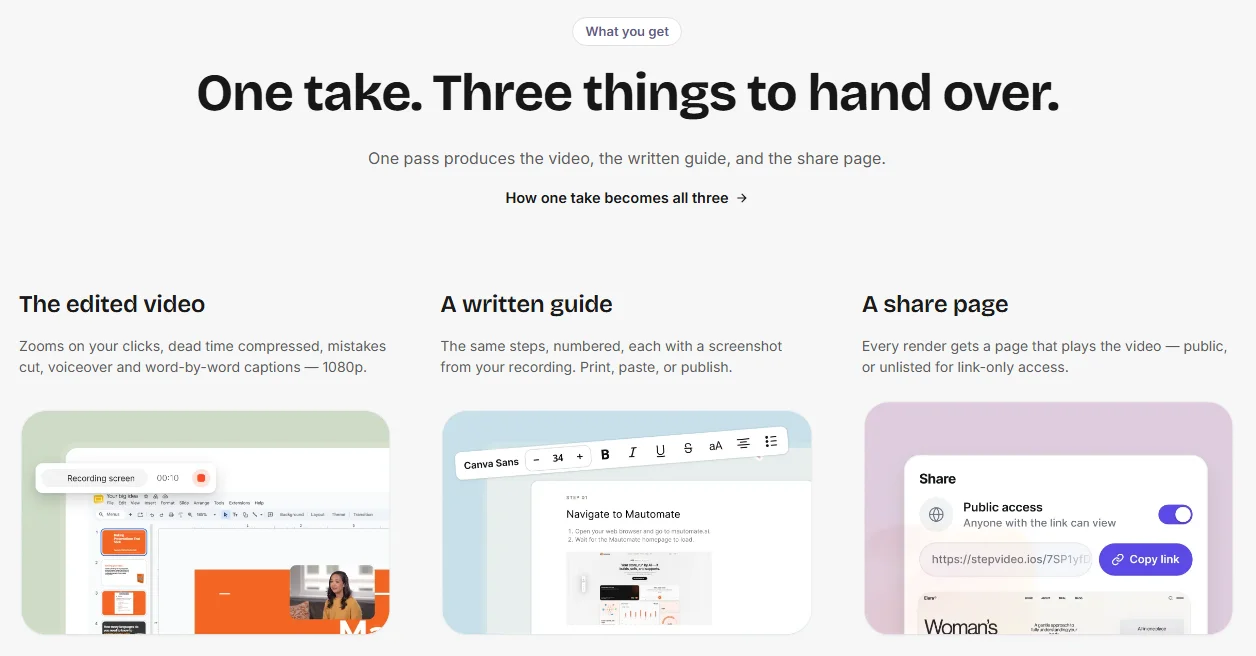
From that one recording, stepvideo builds a list of steps, an edited how-to video with AI voiceover and captions, a written step-by-step guide with a screenshot for each step, which downloads as a PDF, and a share page that plays the video. You fix the steps rather than a timeline: rename, reorder, merge or delete them, rewrite a step's narration, and re-render. How it works shows each stage of that process.
It drafts the procedure, not the whole SOP. The scope line, the roles, the exceptions, the approval and the review date still come from you, using the method above; put the guide or its share link in the procedure section, and keep the SOP document as the record people approve. If your team works in more than one language, stepvideo transcribes 96 languages and publishes narration in 58. Plans are on the pricing page.
What are the most common mistakes when writing SOPs?
Most SOPs fail for one of a few reasons, and nearly all of them come from writing at a desk instead of beside the work.
- Writing from memory. The expert's account leaves out the habits that make the task work. Watch or record a real run.
- One SOP for a whole area. “Accounts payable” is not a task. Split by trigger and result until each SOP fits one sitting.
- Describing instead of instructing. “Invoices are checked against the order” tells the reader what happens, not what to do.
- Warnings at the bottom. A caution in a notes section is read once, if at all. Put it in front of the step.
- Names instead of roles. “Ask Priya” stops working the day Priya changes jobs.
- No test. A writer cannot see their own gaps. One silent test with a new person finds most of them.
- No owner. An SOP everyone owns is an SOP nobody updates.
- Empty template sections. Delete the sections your team will never use; empty headings teach readers to skim.
Write one SOP this week
Pick the task that interrupts your team most, write its scope line, and watch or record one real run before you write a step. Draft it verb-first, test it on someone new and publish it with an owner. Then start the next one from the same SOP template; the second goes faster because the decisions are already made.
Frequently asked questions
Can an AI chatbot write an SOP for me?
It can write a draft, not the finished SOP. A chatbot can propose sections, clean up wording and turn notes or a transcript into numbered steps, but it has never seen your systems or watched your team do the task. Base the draft on real evidence, such as interview notes or a recording of the task, and have the owner check every step before it is published.
How long does it take to write an SOP?
Less time goes into typing than into capturing, testing and approving. A short, single-task SOP can often be drafted in one sitting once you have watched or recorded the task, while finding time with the expert, a tester and the approver usually takes longer than the writing. Regulated SOPs take longest, because their review and sign-off routes are fixed.
How do I write an SOP for my own job?
List the tasks you repeat and pick the one a colleague would struggle with if you were away. Record or note yourself doing it once, write the steps verb-first with what you see after each one, and add when the task starts, when it is done and what to do when it goes wrong. Then ask a colleague to follow it while you watch.
What tense and voice should an SOP be written in?
Write SOP steps as instructions in the present tense, addressed to the reader: “Open the ticket”, “Click Suspend user”. Use the active voice so it is always clear who acts, and keep descriptive parts such as the purpose short and in the present tense too. Avoid “should be” phrasing, which describes a state instead of telling the reader what to do.
How many steps should an SOP have?
As many as the task needs, with one action in each step. If the list grows so long that readers lose their place, check whether it really covers more than one task, or whether some steps belong as sub-steps under a main stage. A very long SOP is usually two or three procedures sharing one document, and is easier to follow once split.
How do you write an SOP for a task with many decisions?
Keep the main path as a numbered list and put each decision beside the step where it happens, as a short rule: if this, do that, and who to contact. When decisions stack up at several points, add a flowchart for the overview and keep numbered steps for each branch, so a reader can still follow one path at a time.
Do you need special software to write SOPs?
No. A Word or Google Docs file built from a good template is enough for most small teams, especially at the start. Software earns its place once you have many SOPs to keep current, need approvals and version history, or want screenshots and videos made from recordings. Compare the options in our guide to the best SOP software for small teams.